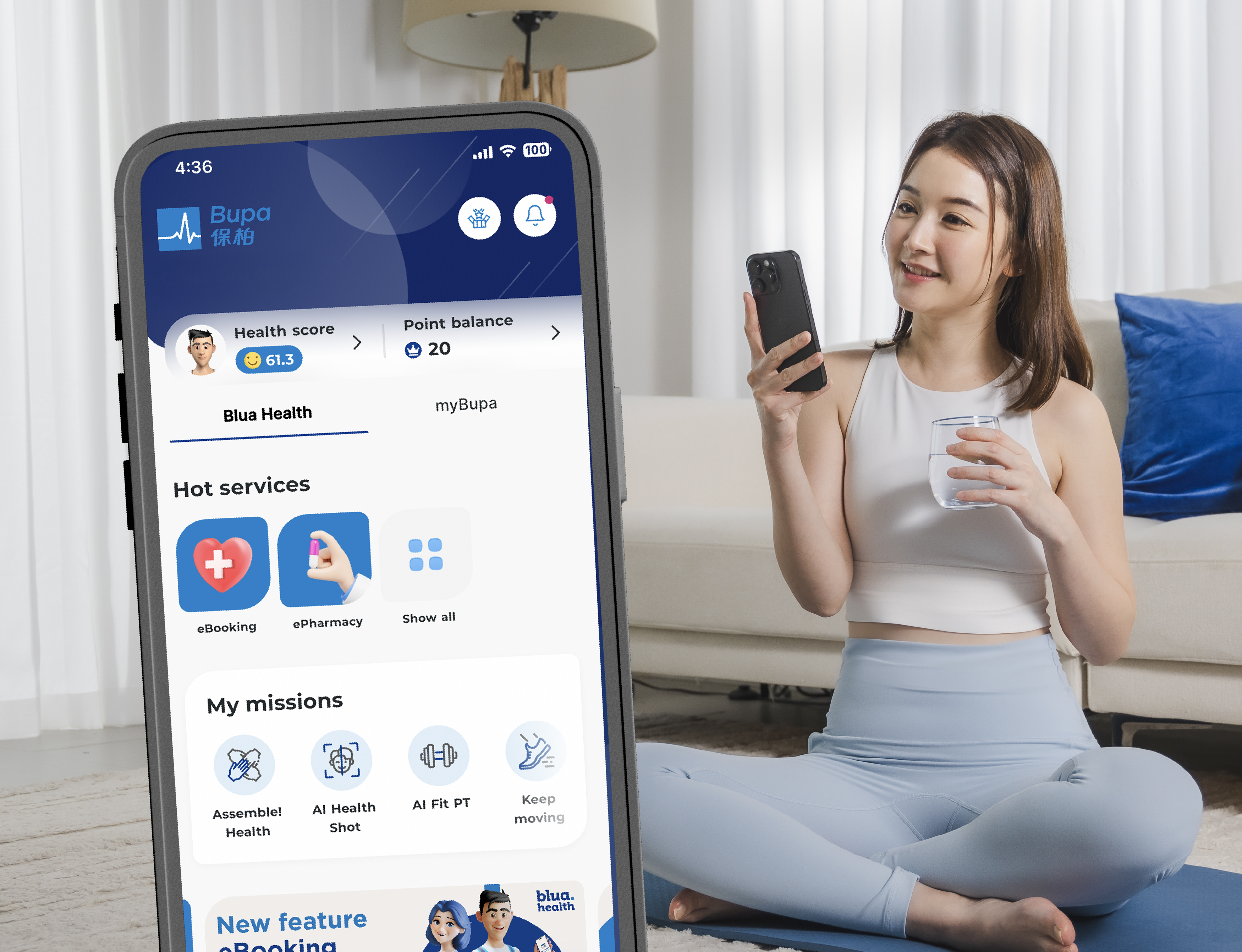
Manage your health insurance with ease
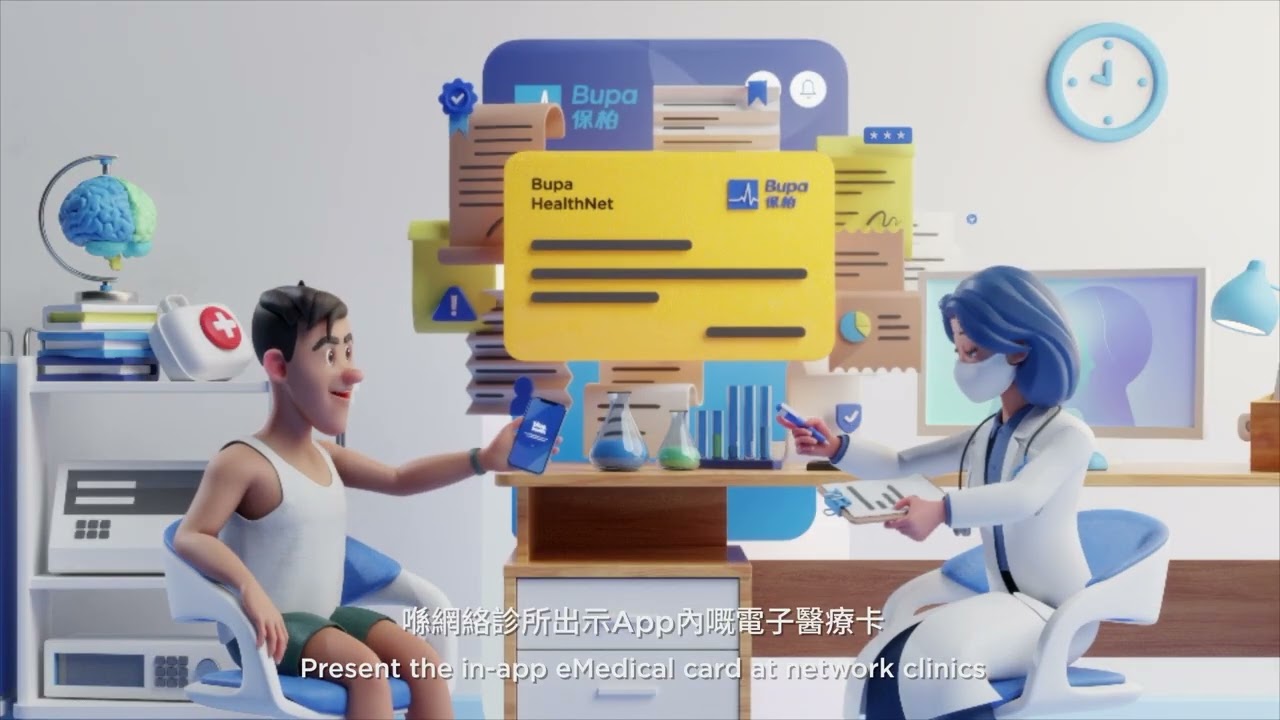
View your Bupa scheme details, access and download policy documents, submit and track claims online, and search for network doctors and clinics, all through the Bupa HK mobile app.
Everything you need to manage your health insurance is conveniently available in one place.
*Bupa HK mobile app is a digital portal offered, distributed and operated by Horizon Health and Care Limited. Certain insurance-related services and functionalities available through the Bupa HK mobile app are provided by Bupa (Asia) Limited. Horizon Health and Care Limited and Bupa (Asia) Limited are companies registered in Hong Kong under the Bupa Group.
User guideline
This section provides a step-by-step guide to help you get started with Bupa HK mobile app and make the most of its insurance and healthcare services.
Whether you need to register an account, view policy information, submit a claim or access healthcare services, you’ll find the guidance you need here.
Frequently Asked Questions
What are the latest e-documents about Bupa VHIS plans available?
Not applicable to the VHIS plans enrolled thru Hang Seng Bank (except Bupa Hero)
- Welcome Letter*
- Cooling-off Notice*
- Transfer Letter with Change Benefits*
- Transfer Letter*
- Exclusion Confirmation Letter*
- Signed Counter Offer Letter*
- Copy of Application Form*
- Renewal Letter
- Policy Schedule
- Policy and Benefit Information for the Certified Plan (including Benefit Schedule)
- Policy and Benefit Information for Optional Benefits and Other Services (including Benefit Schedule of Optional Benefits) (if applicable)
- Terms and Conditions for Other Services
- Wellness Service Redemption Letter (if applicable)
- Membership Guide (if applicable)
- Promotion and Privileges (if applicable)
- Claims Statement (if applicable)
- Shortfall Invoice (if applicable)
*Applicable to the first year of the new policy only.
What are the latest e-documents about Bupa non-VHIS plans available?
Not applicable to Bupa All Together and health insurance scheme enrolled thru Hang Seng Bank
- Welcome Letter*
- Transfer Letter with Change Benefits*
- Transfer Letter*
- Exclusion Confirmation Letter*
- Signed Counter Offer letter*
- Copy of Application Form / Confirmation of Migration / Copy of Transfer Form*
- Renewal Letter
- Membership Certificate
- Contract
- Schedule of Benefits and Table of Subscriptions
- Wellness Service Redemption Letter (If applicable)
- Promotions and Privileges (if applicable)
- Claims Statement (if applicable)
- Shortfall invoice (if applicable)
*Applicable to the first year of the new policy only.
What are the latest e-documents about Bupa All Together and health insurance scheme enrolled thru Hang Seng Bank available ?
Only applicable to Bupa All Together and health insurance scheme enrolled thru Hang Seng Bank
- Welcome Letter*
- Cooling-off Notice*
- Transfer Letter with Change Benefits*
- Transfer Letter*
- Exclusion Confirmation Letter*
- Signed Counter Offer letter*
- Copy of Application Form / Confirmation of Migration / Copy of Transfer Form*
- Renewal Letter
- Membership Certificate / Policy Schedule
- Contract / Policy and Benefit Information for the Certified Plan (including Benefit Schedule)
- Policy and Benefit Information for Optional Benefits and Other Services (including Benefit Schedule of Optional Benefits) (if applicable)
- Terms and Conditions for Other Services
- Schedule of Benefits and Table of Subscriptions (if applicable)
- Wellness Service Redemption Letter (If applicable)
- Membership Guide (if applicable)
- Promotion and Privileges (if applicable)
- Claims Statement (if applicable)
- Shortfall Invoice (if applicable)
*Applicable to the first year of the new policy only.
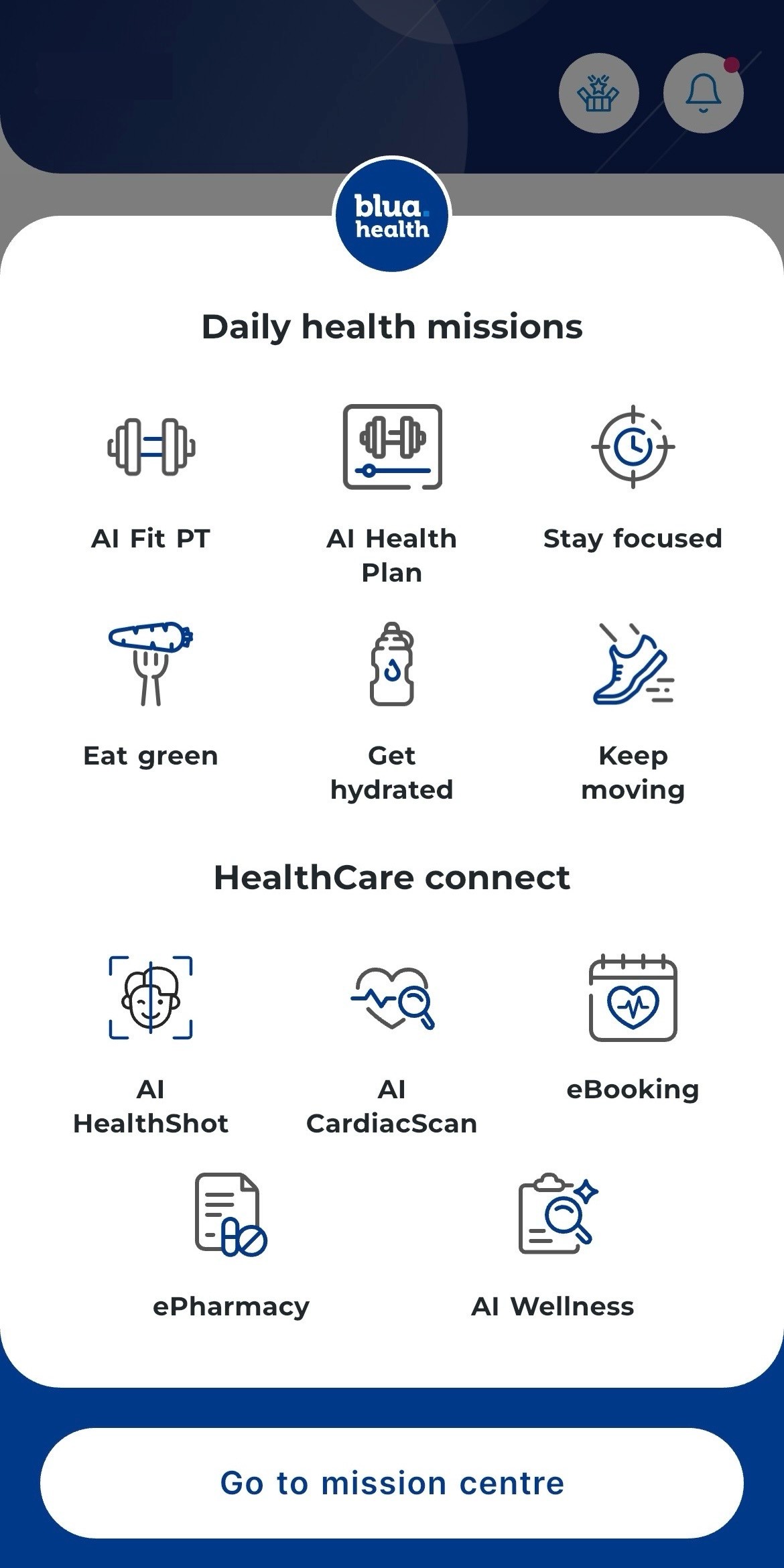
7 Points-earning health missions
Diligent users can earn even more rewards!
AI powered features
Discover a suite of AI-powered features designed to empower you toward a smarter, healthier lifestyle.
AI features
Key benefits
Step 1
Step 2
Step 3
Step 4
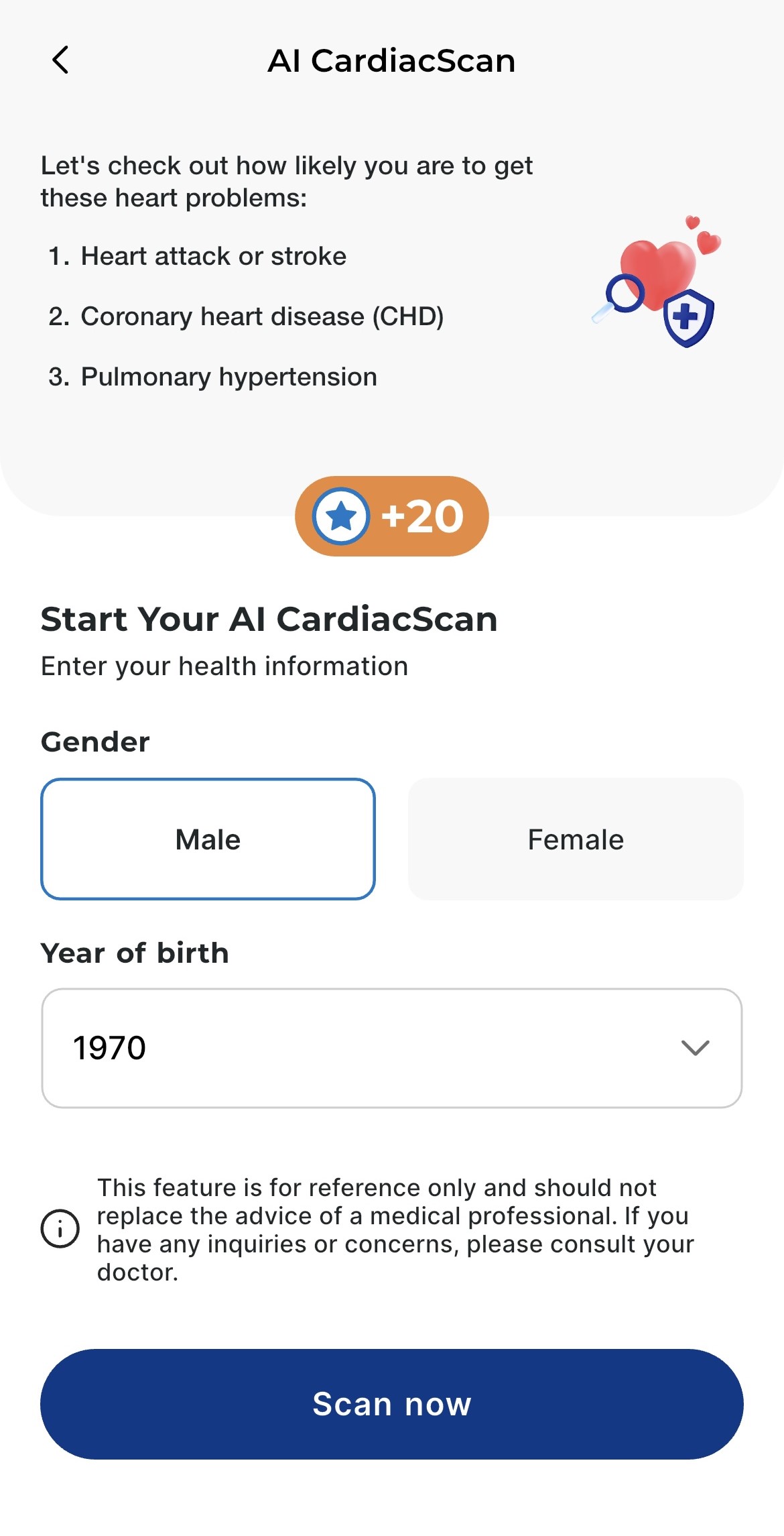
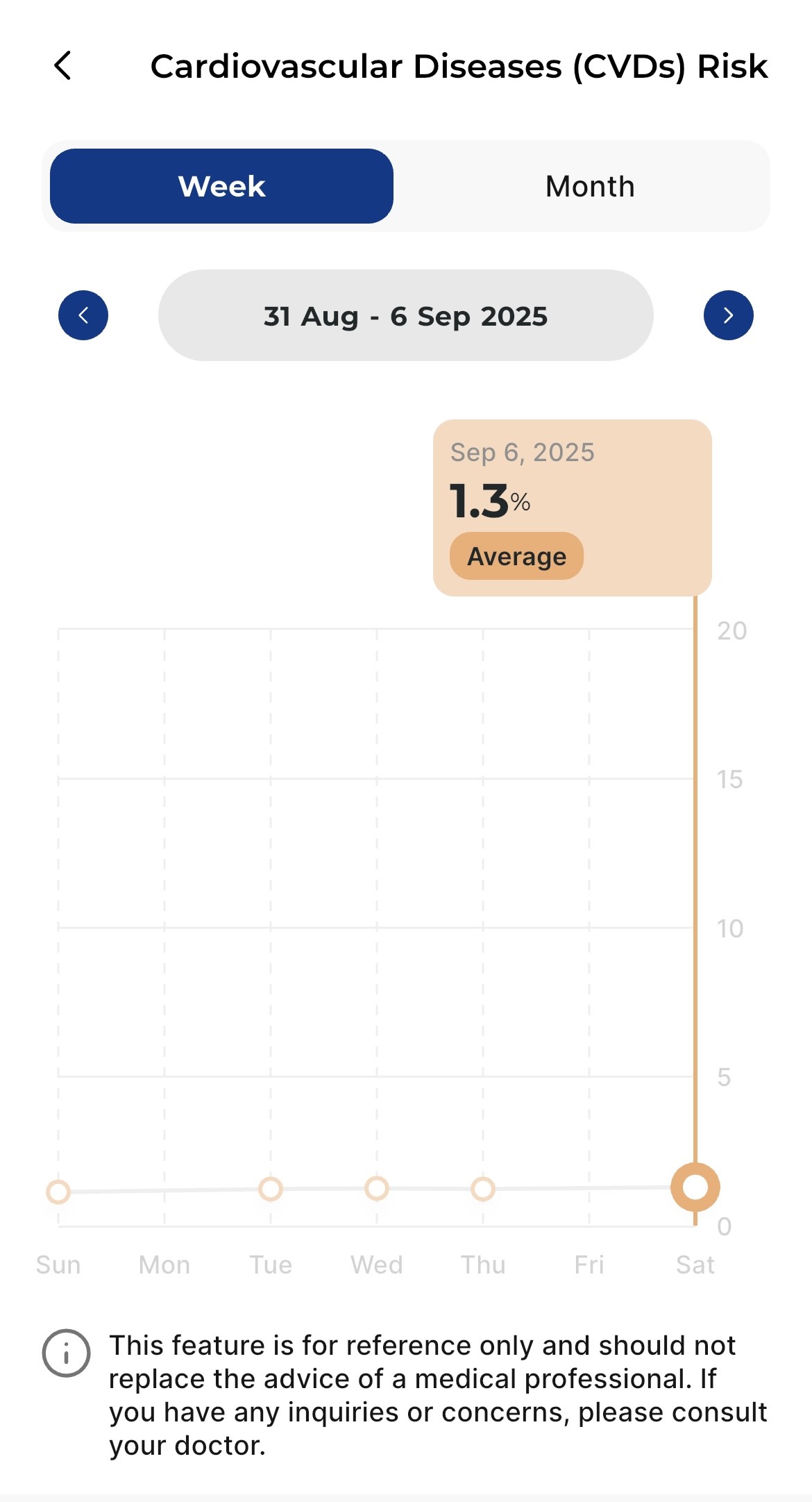
AI CardiacScan
New
AI CardiacScan
New
-
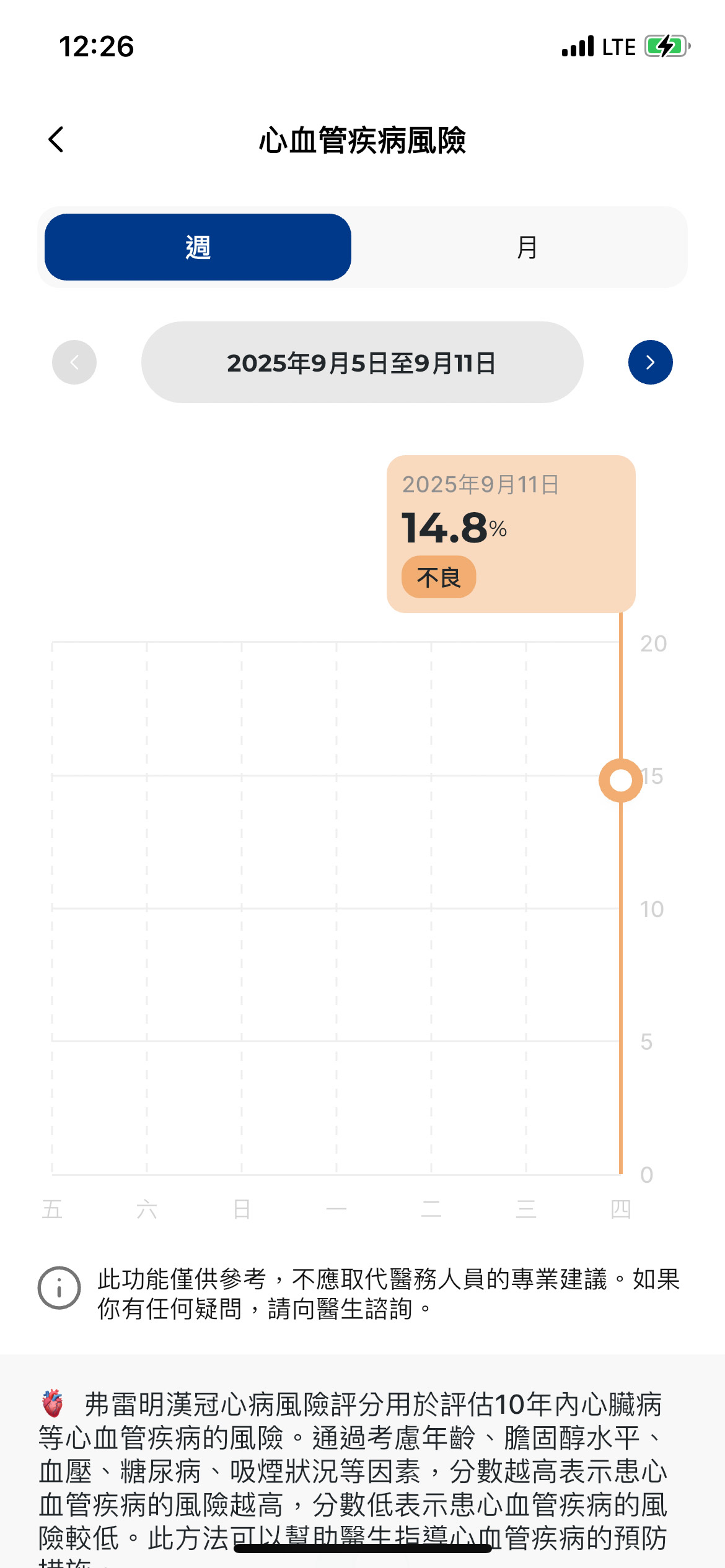
Evaluates your cardiovascular health in just 30 seconds
-
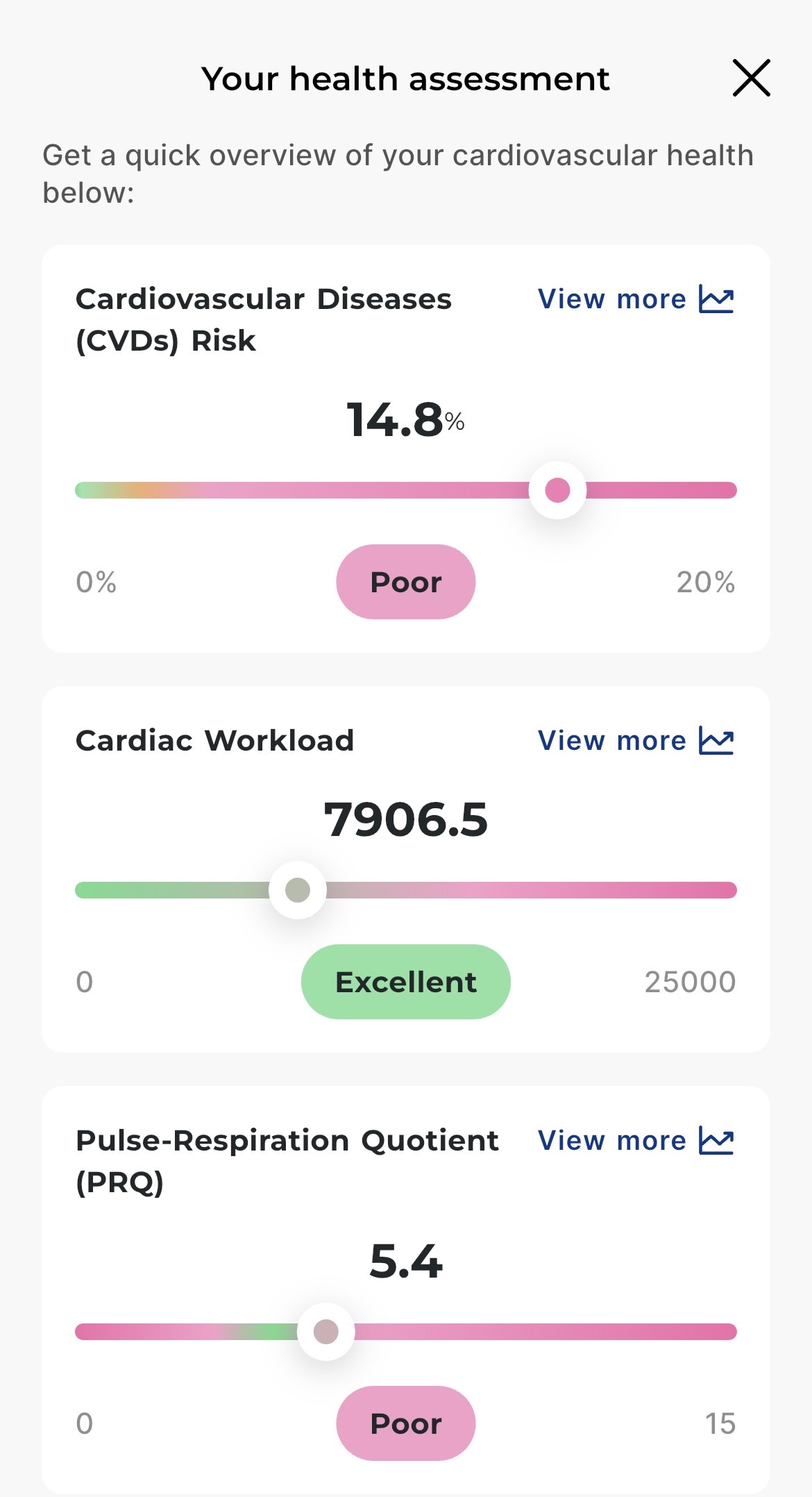
Offers 3 key assessment indicators that reflect your overall health and metabolism
Gentle reminder
This feature is for reference only and should not be relied upon as a substitute for professional medical advice. If you have any inquires or concerns, please consult your doctor.
AI CardiacScan
New
AI CardiacScan
New
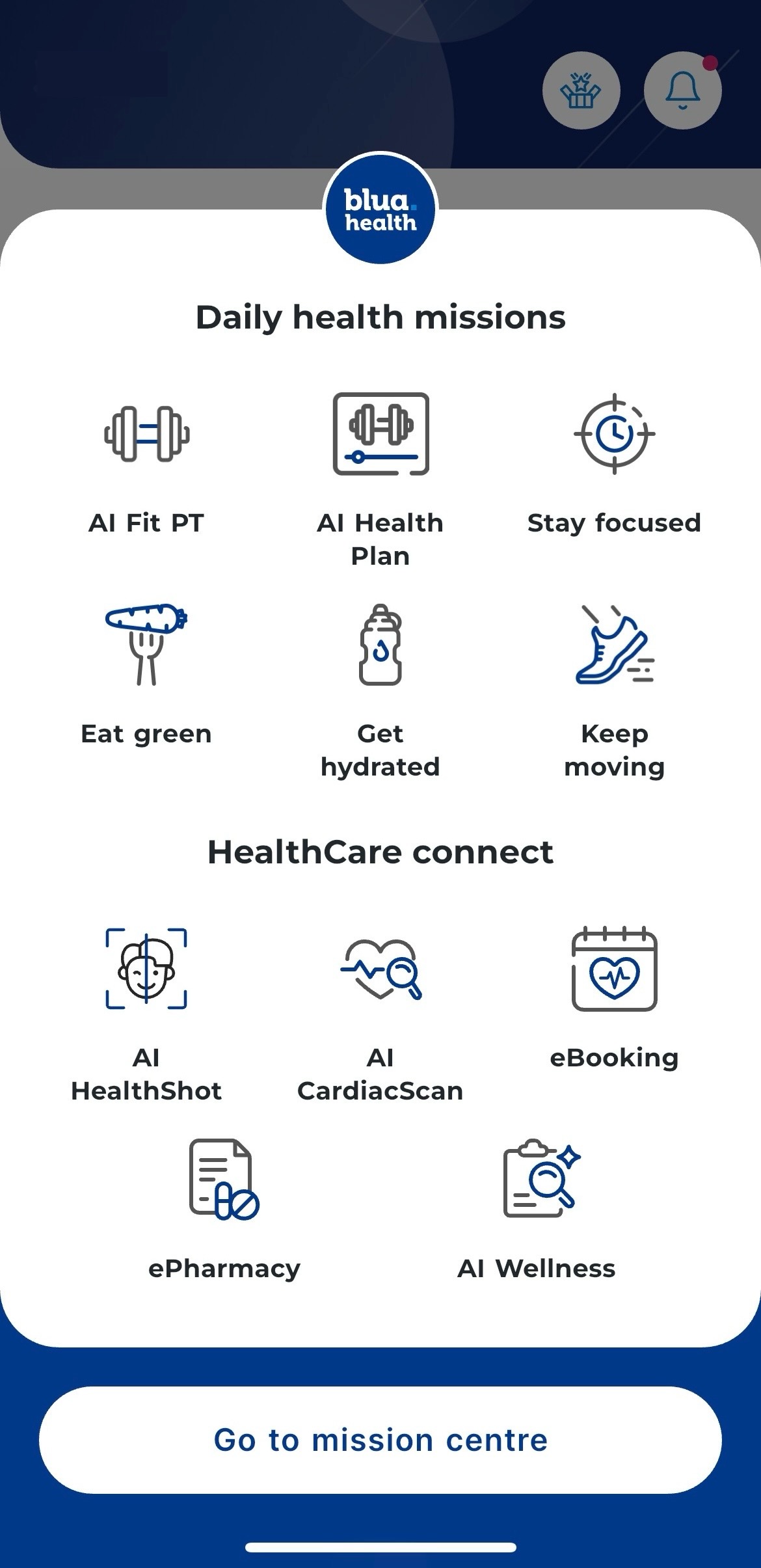
Select "AI CardiacScan" in Daily health missions
AI CardiacScan
New
AI CardiacScan
New
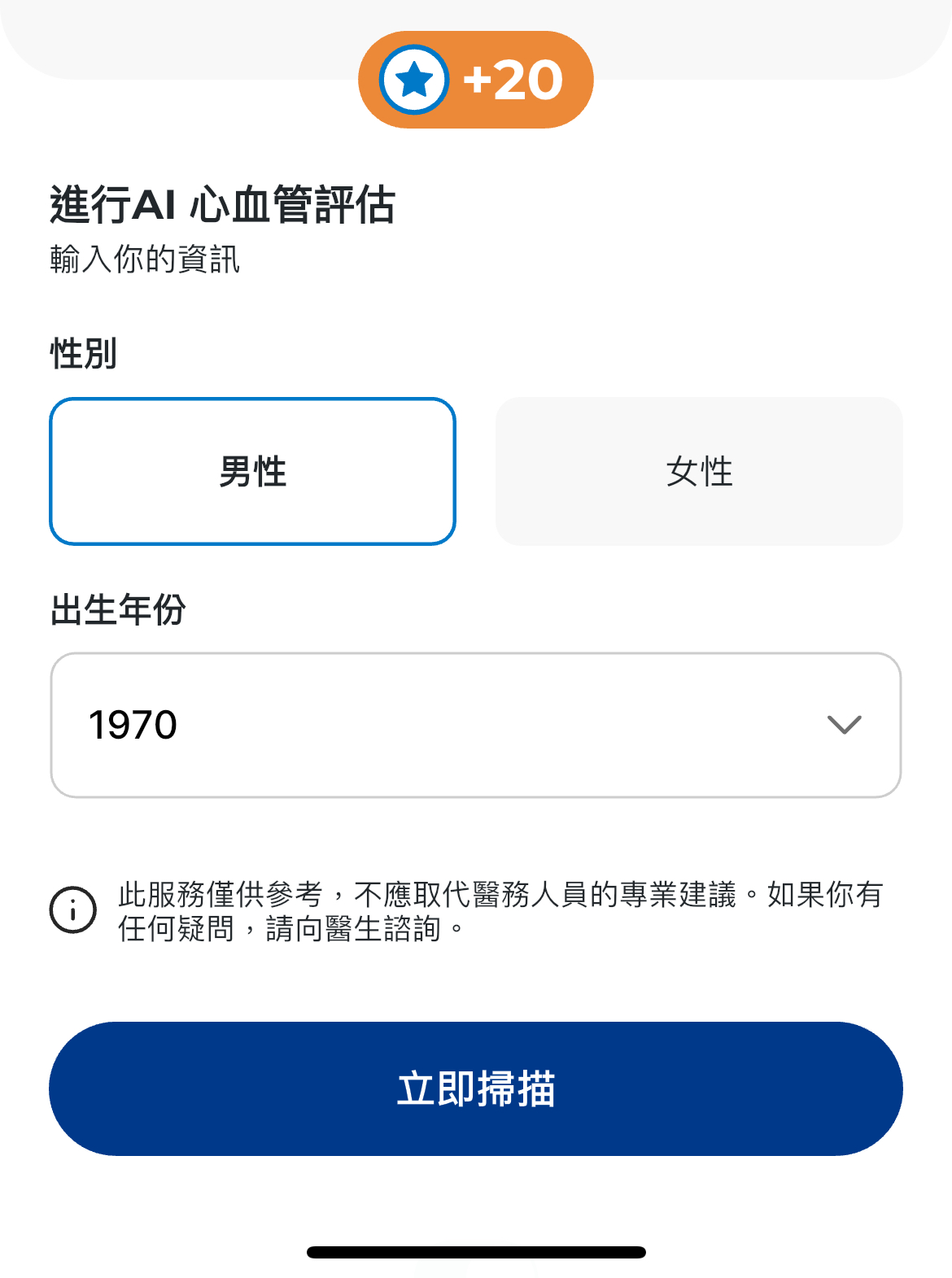
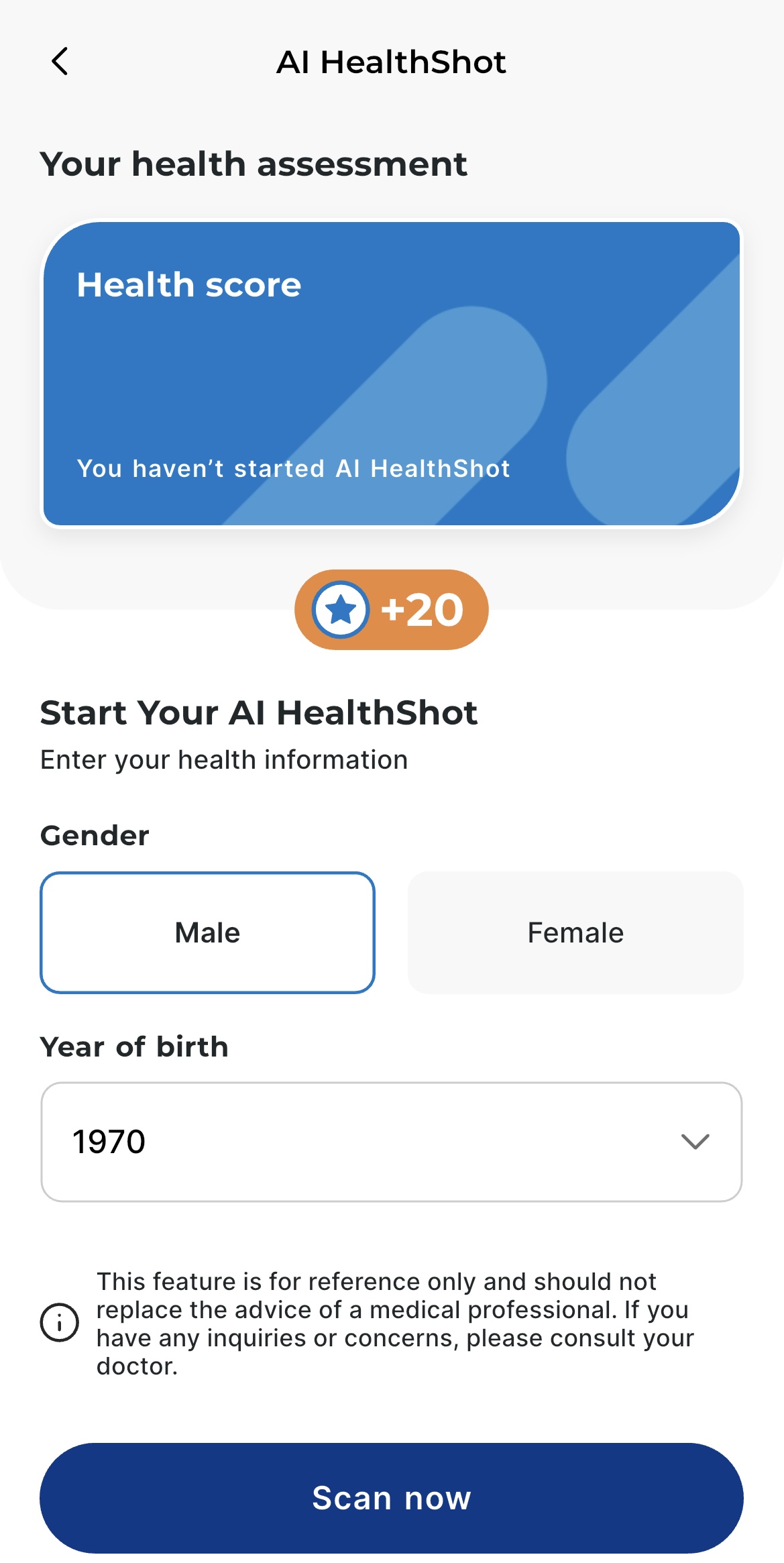
Fill in your gender and year of birth
AI CardiacScan
New
AI CardiacScan
New
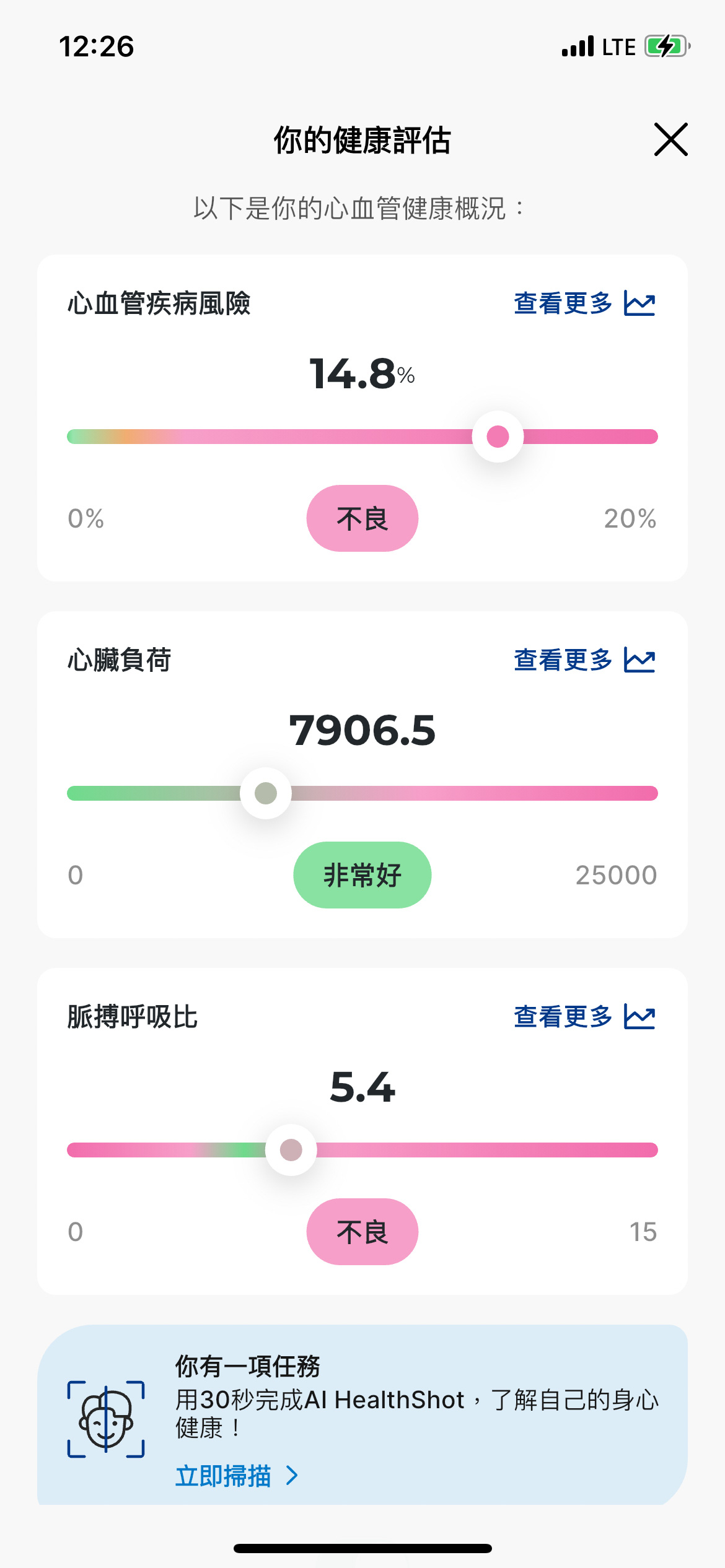
Complete the scanning and receive the assessment result
AI CardiacScan
New
AI CardiacScan
New
View your past record by clicking into the details of each indicator
Key benefits
Step 1
Step 2
Step 3
Step 4
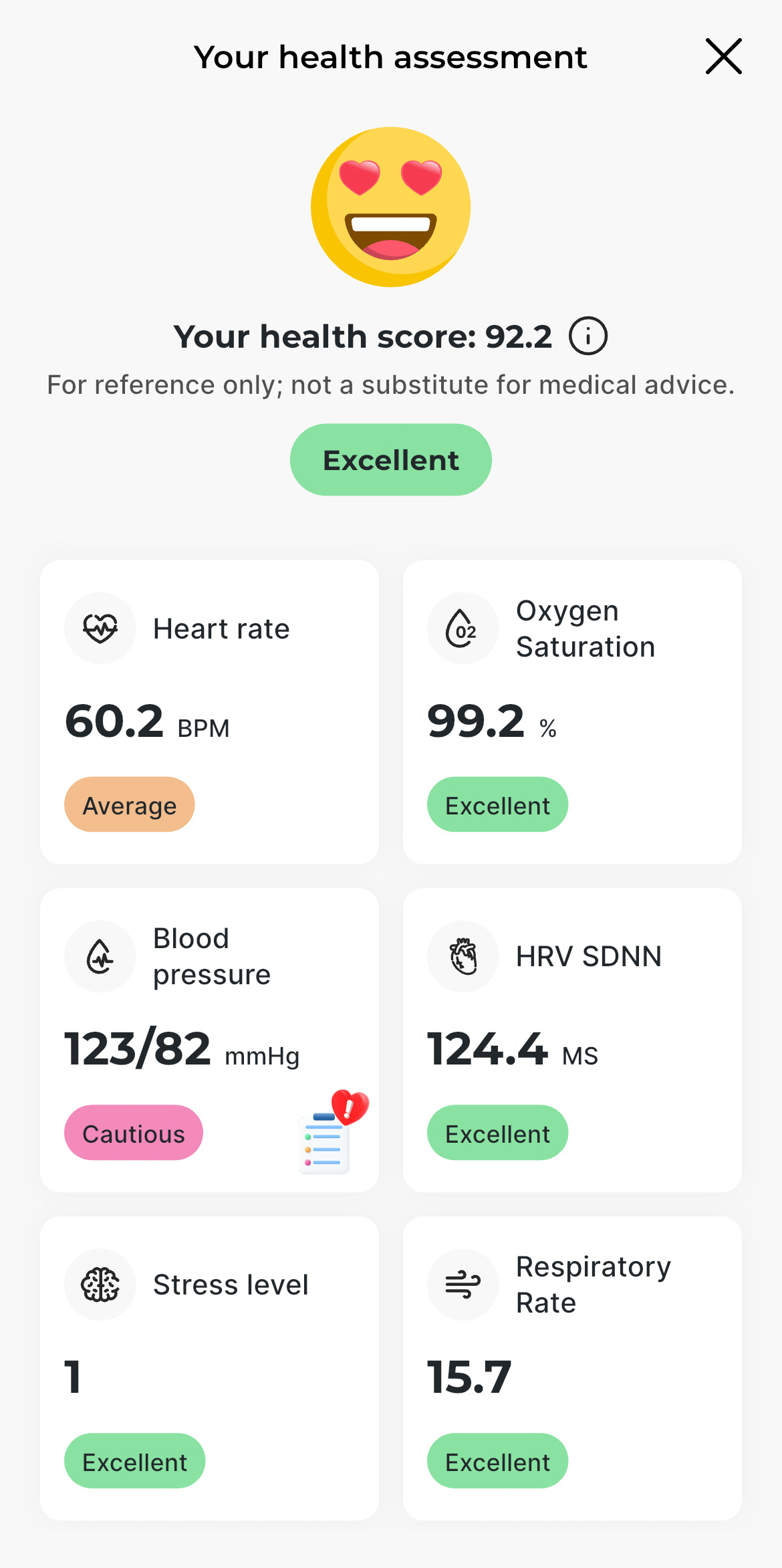
AI HealthShot
New
AI HealthShot
New
-
Achieve better health through daily monitoring
-
Your health score offers a comprehensive snapshot of your physical vitality and mental resilience
*Gentle reminder: This feature is for reference only and should not be relied upon as a substitute for professional medical advice. If you have any inquires or concerns, please consult your doctor.
AI HealthShot
New
AI HealthShot
New
Select "AI HealthShot" in Daily health missions
AI HealthShot
New
AI HealthShot
New
Fill in your gender and year of birth
AI HealthShot
New
AI HealthShot
New
Complete the scanning and receive the assessment result
AI HealthShot
New
AI HealthShot
New
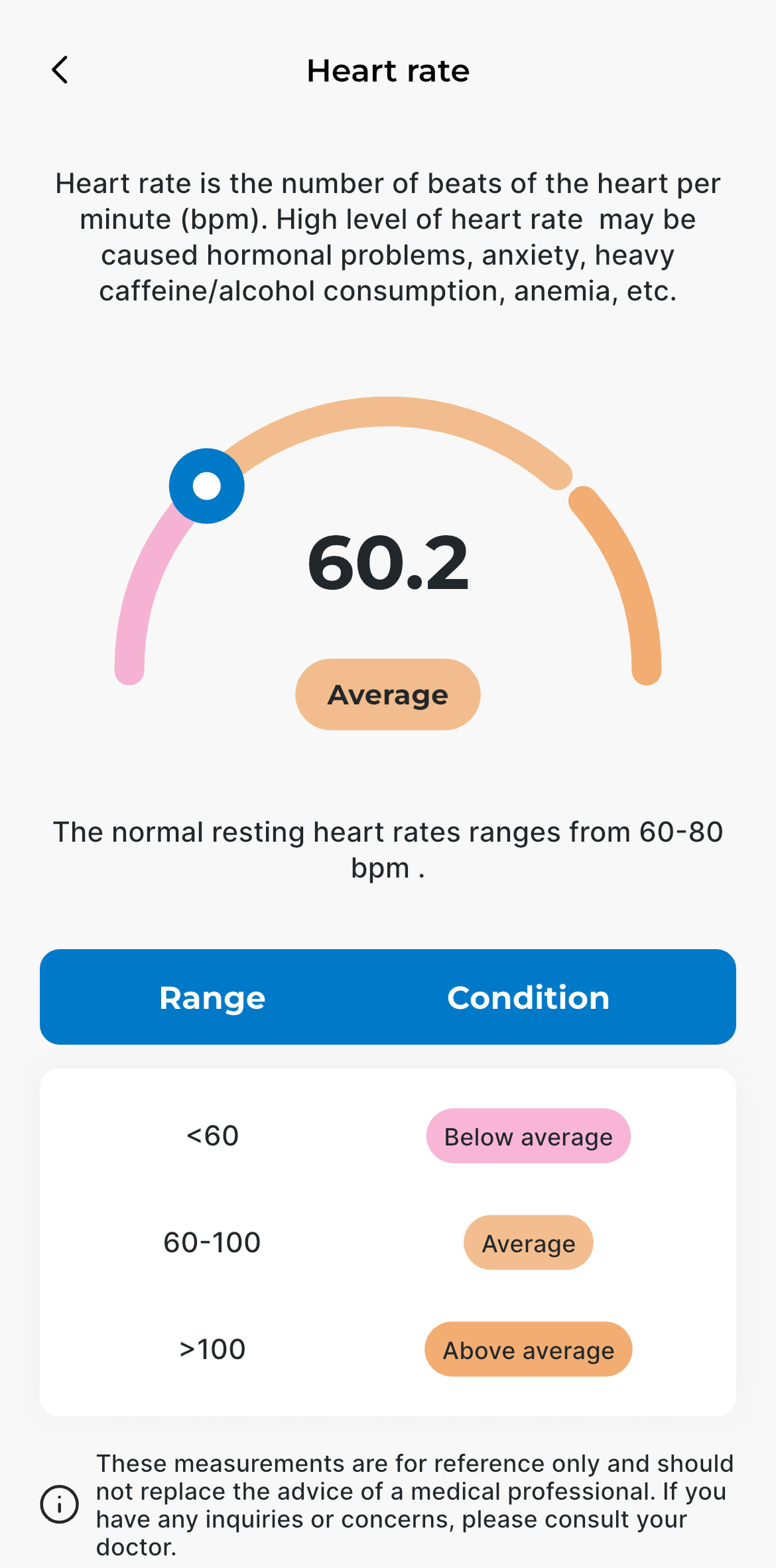
View the details of each indicator by clicking the respective measurement
Key benefits
AI Fit PT & AI Health Plan
New
AI Fit PT & AI Health Plan
New
-
Build your workout routine using the AI-powered fitness features
-
Get tailored health plan based on your health conditions
How to Use AI Fit PT in Bupa HK mobile app
Reward your healthy lifestyle
Digital Healthcare services
Access a range of healthcare services through the Bupa HK mobile app, from finding the right doctor to booking video consultations and medication delivery.
Hot services
Key benefits
Step 1
Step 2
Step 3
Express Check-in
New
Express Check-in
New
Exclusive feature for Bupa Members
-
A smarter, faster, and safer check-in experience
-
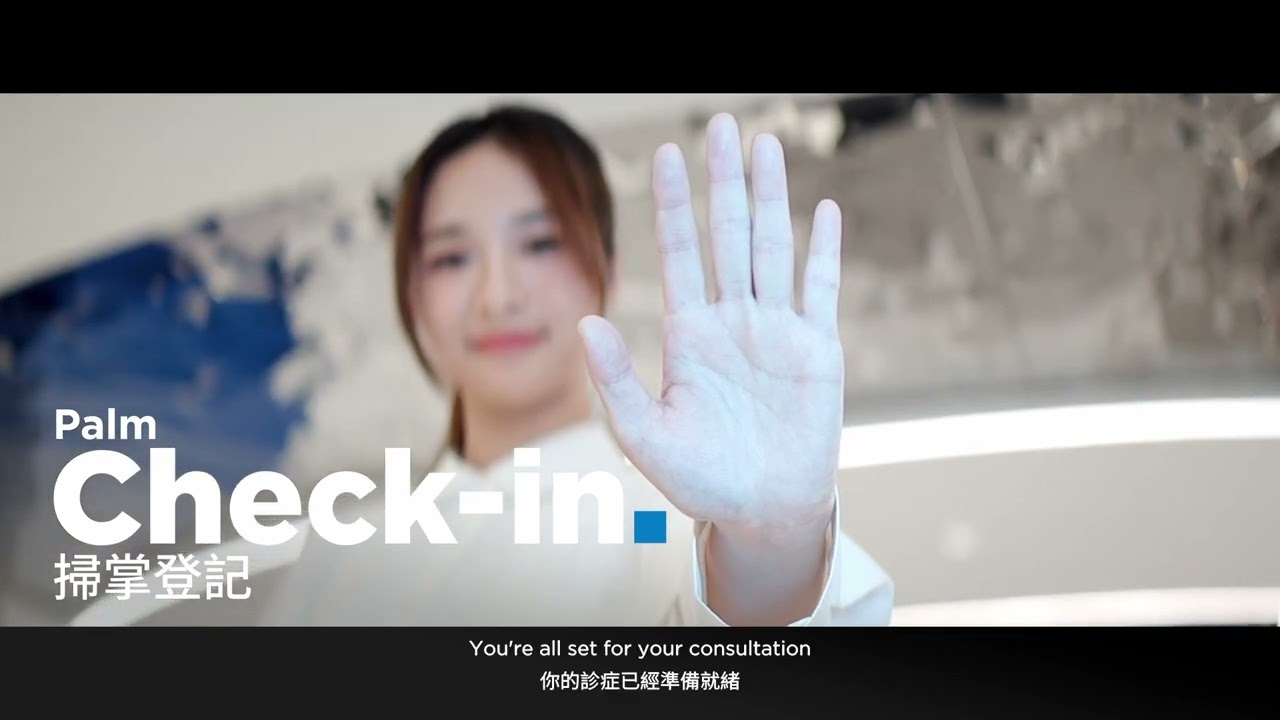
Check in is as easy as scanning your palm or a QR Code
-
Skip the line at designated clinics
Click here for the Express Check-in registration video guide
Express Check-in
New
Express Check-in
New
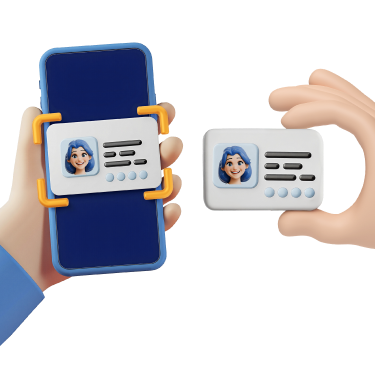
Follow the instructions in the Bupa HK mobile app to scan your Hong Kong Identity Card and complete facial recognition to register for Express Check-in and set up your personal profile.
Express Check-in
New
Express Check-in
New
You will receive a notification from the Bupa HK mobile app one hour before your appointment to complete pre-check-in and confirm your arrival.
Express Check-in
New
Express Check-in
New
Visit the Express Check-in kiosk when you arrive at the clinic. Simply scan your palm at the palm scanner, or generate a QR code for scanning at the kiosk by tapping "Check-in" at the "Appointment details" section.
Key benefits
Step 1
Priority Booking
New
Priority Booking
New
Exclusive feature for Bupa Members
-
Enjoy Priority booking with exclusive time slots
-
More flexible when booking in Bupa HK mobile app
Priority Booking
New
Priority Booking
New
Exclusive timeslots will be highlighted with a crown icon. With Priority Booking, you now have greater flexibility in choosing your preferred timeslot and service provider.
Key benefits
Step 1
Step 2
Step 3
Step 4
eBooking
New
eBooking
New
-
Easy booking
-
Booking reminders
-
No more long waits
-
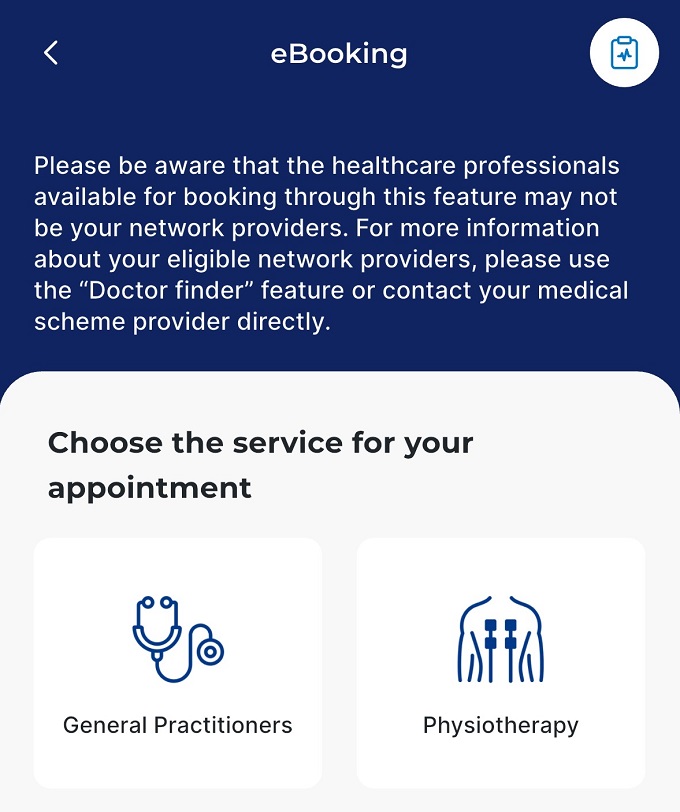
Diverse medical services, including: General Practice, Specialist, Traditional Chinese Medicine, Physiotherapy, Mental Health, Nutrition Advice, Flu Vaccination, and Health Check-ups
*Gentle reminder: You may consider physiotherapists/ healthcare providers outside of Quality HealthCare based on your clinical needs and individual preferences. Use of any providers in this list does not guarantee full insurance coverage. You will appreciate that it is the responsibility of patients to have sufficient understanding of their insurance coverage.
eBooking
New
eBooking
New
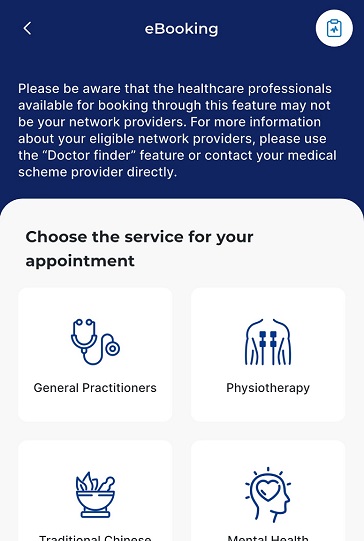
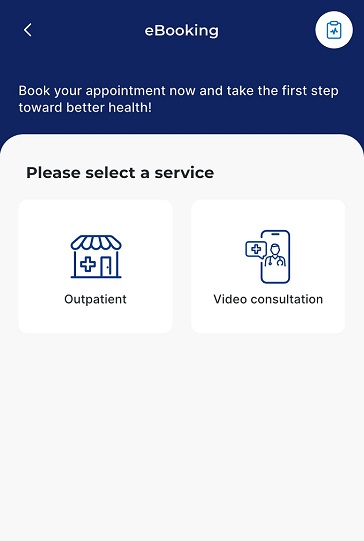
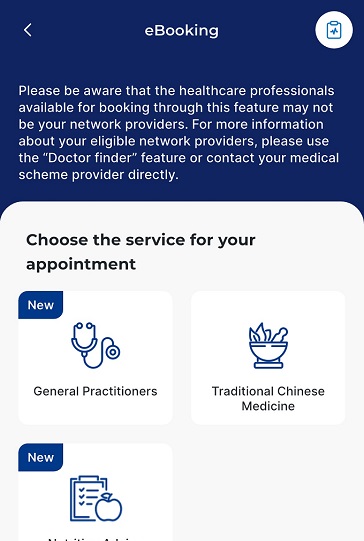
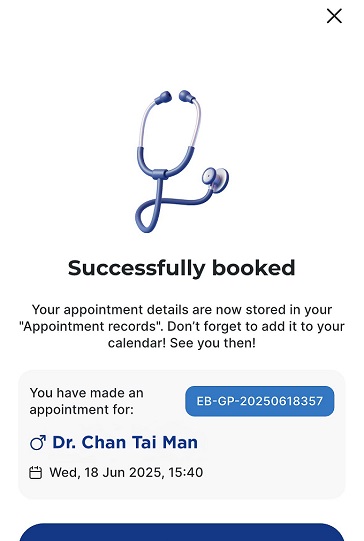
Select the required medical service.
eBooking
New
eBooking
New
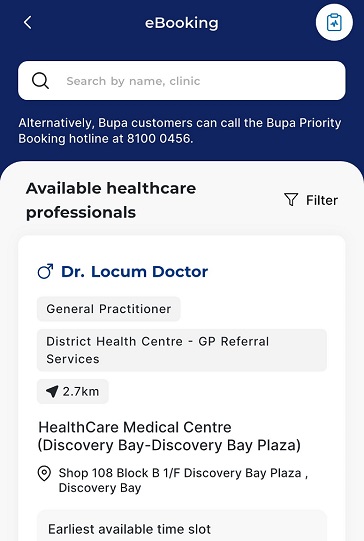
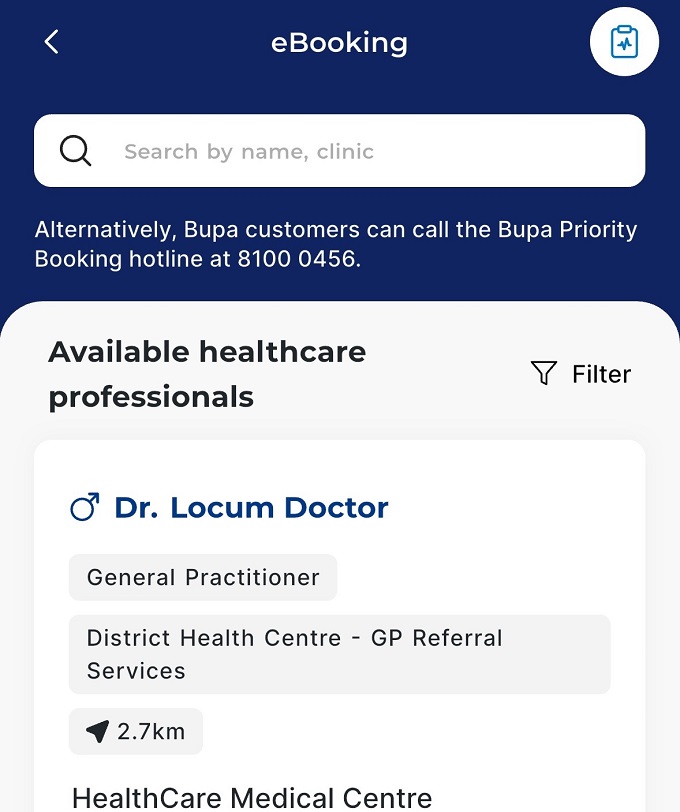
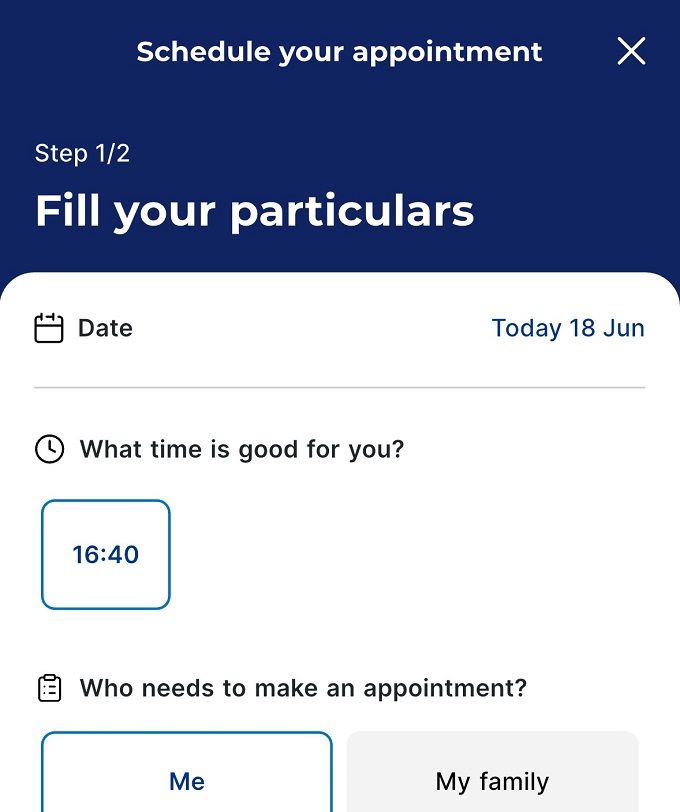
The earliest timeslots are shown first, making it easy for you to choose your preferred timeslot and service provider.
eBooking
New
eBooking
New
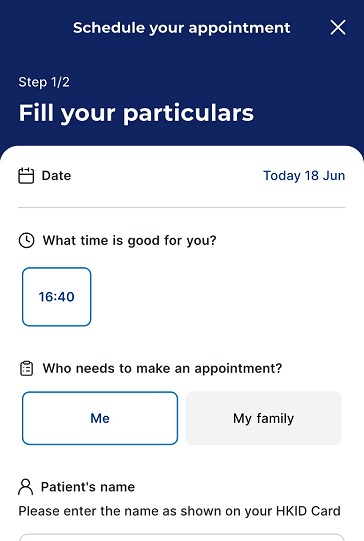
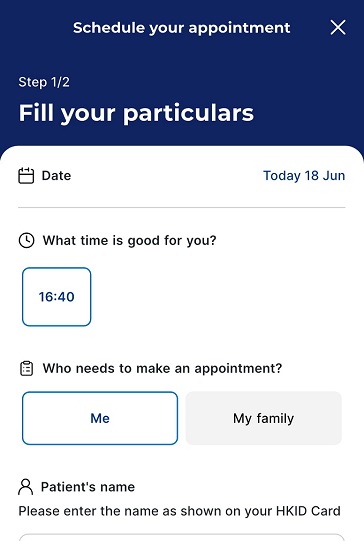
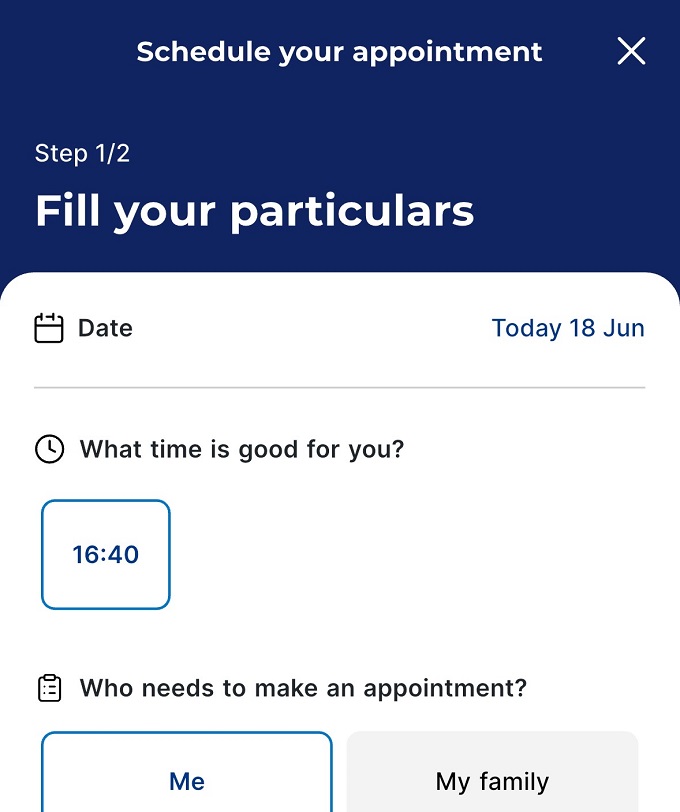
Fill in the information as required to submit the appointment request.
eBooking
New
eBooking
New
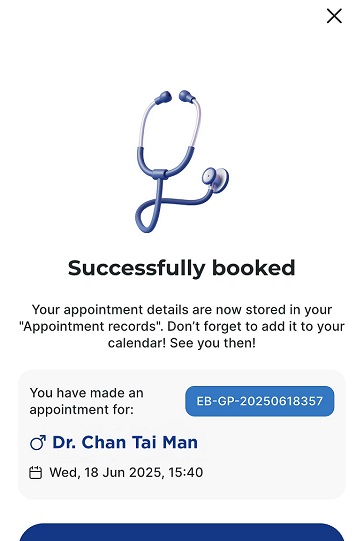
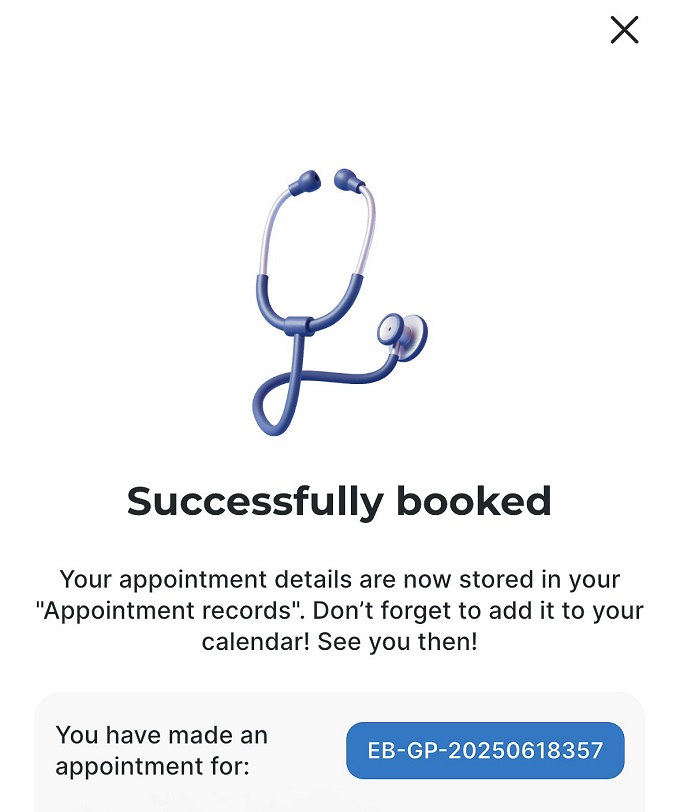
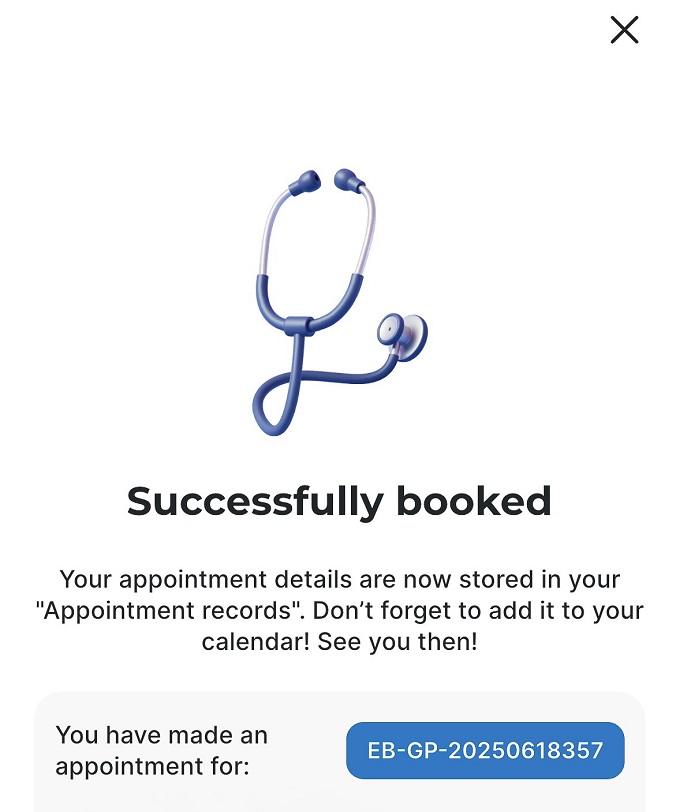
You will receive an email and push notification once the appointment is confirmed.
Key benefits
Step 1
Step 2
Step 3
Step 4
Video consultation
New
Video consultation
New
-
No travel needed—save time and hassle
-
Flexible scheduling at your convenience
-
Wide range of services: General Practice, Traditional Chinese Medicine, and Nutrition Advice
Gentle reminder
- eBooking and video consultation services are provided by our designated medical service provider. Video consultation will be conducted on the designated service provider’s platform. Terms and conditions of these services apply.
- You may consider medical services providers other than our designated medical service provider available through these services based on your clinical needs and individual preferences.
- Use of any providers through these services does not guarantee full insurance coverage. You will appreciate that it is the responsibility of patients to have sufficient understanding of their insurance coverage.
Video consultation
New
Video consultation
New
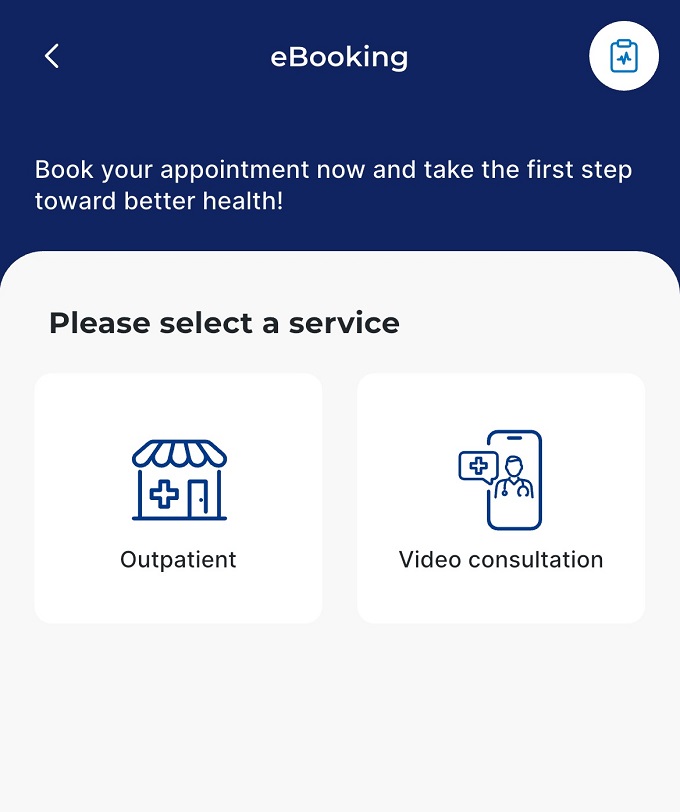
Open the "eBooking" feature and select "Video consultation."
Video consultation
New
Video consultation
New
Choose your preferred service, service provider, and timeslot. You can easily schedule a video consultation for General Practice, Traditional Chinese Medicine, and Nutrition Advice!
Video consultation
New
Video consultation
New
Follow the steps to fill in the information and submit the appointment request.
Video consultation
New
Video consultation
New
You will receive an email and push notification once the appointment is confirmed.
Key benefits
Step 1
Step 2
Step 3
Step 4
ePharmacy
New
ePharmacy
New
-
Time-saving
-
Order tracking
-
Doorstep delivery
-
Safe and reliable
ePharmacy
New
ePharmacy
New
Upload your prescription to Blua Health and fill in the information to submit the order.
ePharmacy
New
ePharmacy
New
The pharmacist will contact you via WhatsApp to verify your prescription order and inform you about the payment.
ePharmacy
New
ePharmacy
New
Once your prescription is ready, the pharmacist will arrange delivery to your address.
ePharmacy
New
ePharmacy
New
Hand your original prescription to the courier upon received.
Learn more about Bupa HK mobile app
Frequently Asked Questions
Is the Bupa HK mobile app only available in Hong Kong?
Yes, the Bupa HK mobile app is currently available for downloading in Hong Kong and Macau, and is not available for download in other countries and regions.
How do I book a healthcare service through the Bupa HK mobile app?
eBookings are easy in the Bupa HK mobile app – first search and the preferred healthcare services. Available services may vary depending on your eligibility and service availability.
How do I arrange a video consultation through the Bupa HK App?
Click into the eBooking feature in the Bupa HK mobile app to book video consultations. Please refer to the app for the latest service details, availability and eligibility requirements.
How do I order prescribed medicines through the Bupa HK mobile app?
You can use the ePharmacy feature in the Bupa HK mobile app to order prescribed medicines and arrange delivery where available. Please refer to the app for service details and eligibility requirements.
Do I need a Bupa insurance policy to use the Bupa HK mobile app?
No. Anyone can download and register for the Bupa HK mobile app.
Healthcare services such as eBooking and ePharmacy are available through the app. However, selected features and benefits are only available to eligible Bupa customers. Please refer to the app for the latest eligibility requirements.
I am a Bupa customer, can I use my medical card when making an appointment through eBooking?
Bupa customers can upload your medical card when making an appointment through the eBooking feature, but the selected healthcare professionals available for booking through this feature may not be your network providers. For more information about your eligible network providers, please use the "Network doctors" feature or contact your medical scheme provider directly.
How is my personal data protected in the Bupa HK mobile app?
Bupa takes privacy and security of personal data very seriously. Information provided through the Bupa HK App is handled in accordance with applicable privacy requirements and security measures. Image data used by selected AI-powered health features is processed only on the user’s device and is not transmitted to or stored on our servers.
How does AI Fit PT/ AI Health Plan work?
These features offer a variety of fitness plans for different health levels, goals, and preferences. You can select the plan that best suits their needs and adjust it over time as they progress, helping them develop healthy exercise habits and stay engaged with their fitness goals.
How does AI HealthShot work?
AI HealthShot uses your device camera and AI technology to analyse physiological signs and provide health-related insights. For more details about the technology supporting AI HealthShot, please visit the PanopticsAI website.
What do daily health missions include?
Daily health missions include AI HealthShot, AI CardiacScan, AI Fit PT/ AI Health Plan, Keep moving, Stay hydrated, Eat green and Stay focus. These tasks are designed to be simple and achievable, helping you work towards your health goals.
How are Blua Points awarded and when do they expire?
Blua Points programmes are available to eligible Bupa customers. Blua points are earned by completing daily health missions. Basic members can earn up to 500 points per month, Basic+ members earn up to 750 points, while Elite members have no monthly limit. Points expire on two periods - January 31 or July 31, depending on your wallet type and the original date of when the points were earned. For more details, please refer to the Bupa HK mobile app.
How do I redeem my rewards?
Rewards are available to eligible Bupa customers. You can redeem rewards in the “Marketplace” section of the Bupa HK mobile app by selecting the reward you wish to claim. Reward redemption is subject to applicable terms and conditions.
Which health tracking apps can be connected to the Bupa HK mobile app?
Users can connect Apple Health or Health Connect to their Bupa HK mobile app account. To use the “Keep moving” feature, you’ll need to connect one of these tracking apps so that activity data can be synced to the app.